Travel mode shows you to people where you are, not back home. Asked once per journey, free for everyone, with trips you can plan and Explore with Premium.
By KF.Social·3 min read·Published 11th October 2026
You live in Leeds and you are spending a long weekend in Edinburgh. You arrive on Friday evening, and for the first time the app knows you are somewhere new. On Saturday morning Discover asks you a simple question: You're in Edinburgh. Show your profile to people where you are while you travel?
That is travel mode. It lets you meet people where you actually are, not where you happen to live, and it is free for everyone.
01How it works
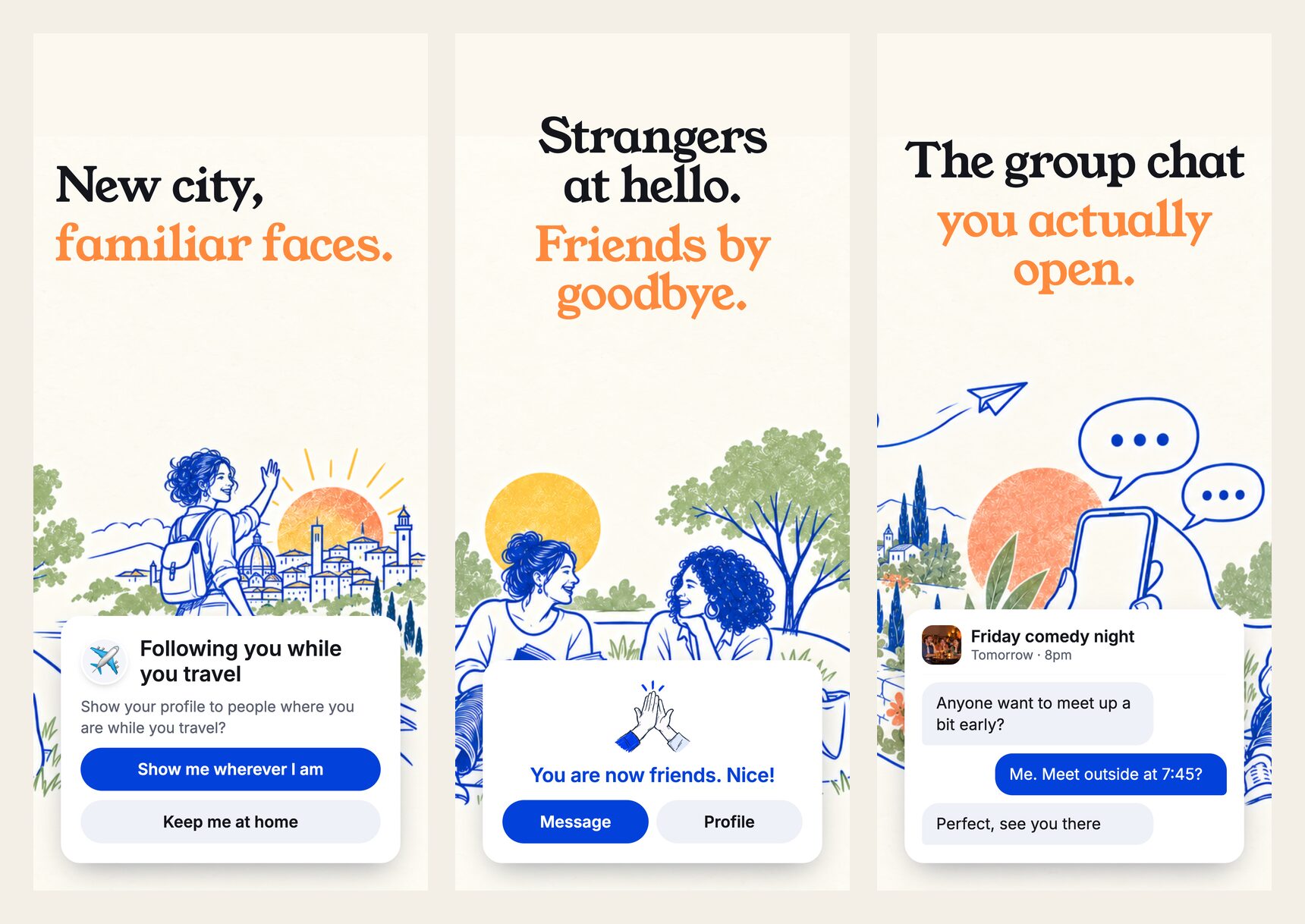
You are asked once per journey. When KF.Social sees you are somewhere else, Discover asks whether to show you there. Choose Show me wherever I am and we will follow you from city to city, or Keep me at home and nothing changes.
You appear where you are. Once you have been there for twelve hours you see Now showing in Edinburgh. People in Edinburgh can see you in their matches, and you see people there in yours.
Home does not see you while you are away. People back home stop seeing you until you are back. If you change your mind, Undo is there for 24 hours.
Coming home ends it. With location on, it ends by itself when you are back. Without it, the app asks Back in Leeds? and you choose Yes, I'm back or Still travelling. Then: Welcome back to Leeds.
02Plan a trip ahead
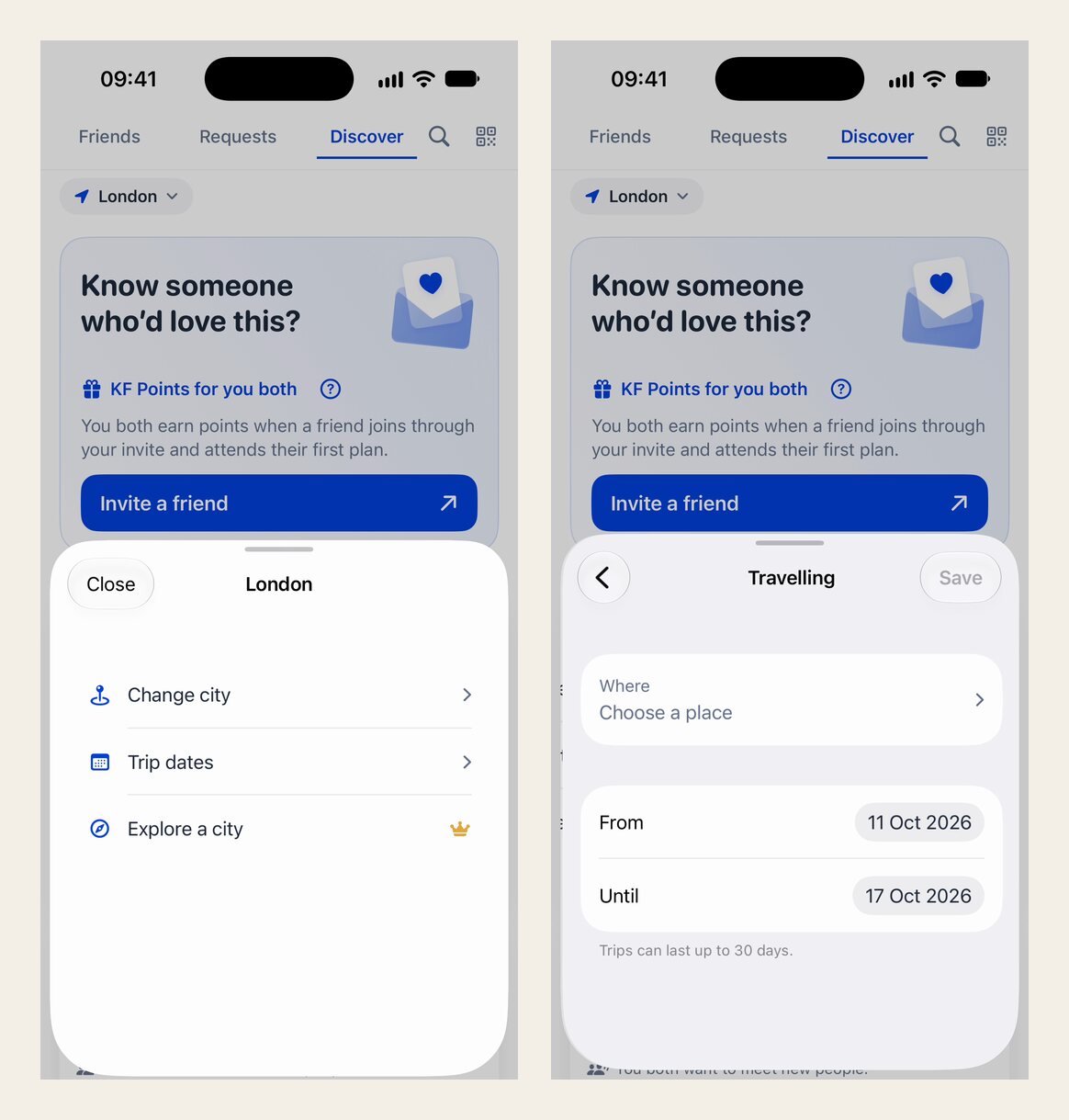
If you know where you are going, add the trip in Edit profile, under Travelling, with the city and your dates. A trip abroad starts counting once you use the app from that country. If you are on mobile roaming, that can be when you first connect to local Wi-Fi or a local SIM, because roaming data often looks as if it comes from home.
Set where you are going and when, or let the app notice you have arrived.Show up where you are while you travel, then keep talking.
03Explore a city before you go
With KF Premium you can explore a city before you arrive: see who is there, and send a friend request or a Super Wave. Your hello carries Coming to Berlin on 14 November, so the person knows why you are saying hello and when you will be around. Travel mode itself is free; exploring ahead is part of Premium.
04Always on the move
If you do not have a home base, because you work remotely and change city every few weeks, choose I'm always on the move. There is no home to return to: you are shown wherever you are, with an "On the move" chip, and you can get a morning nudge, Who's around today?, which never names anyone.
05Your location stays approximate
We use your approximate area, never your exact position. People see where you are as an area or a city, never a street and never a distance. Your device location is only used to tell whether you are home, travelling or have moved, and you can keep location off and choose your city yourself.
06Why we built it
A trip is one of the best and loneliest times to meet people. You have free evenings, you are curious, and you know nobody. Travel mode lets the people around you know you are there, for exactly as long as you are there, and then it gets out of the way. For more on meeting people away from home, read how to meet people while travelling.
Update KF.Social from the App Store or Google Play, or get the app.
Related Questions
How does travel mode work on KF.Social?
When the app sees you are somewhere else, Discover asks once per journey whether to show you there. If you say yes, after twelve hours people in that place can see you, and people at home stop seeing you until you are back. Coming home ends it.
Is travel mode free?
Yes. Showing up where you are is free for everyone. Exploring a city before you arrive is part of KF Premium.
Can people see my exact location?
No. People see where you are as an area or a city, never a street and never a distance. Your device location is only used to tell whether you are home, travelling or have moved.
Can I plan a trip in advance?
Yes. Add it in Edit profile, under Travelling, with the city and dates. A trip abroad starts counting once you use the app from that country.
What if I do not want to be shown while I travel?
Choose Keep me at home when asked. Nothing changes, and you stay in your home matches.
 KF.Social